
🚀 Automating Incremental Loads from SQL Server to Microsoft Fabric Using DLT + Shortcut API
Shortcuts, Not Shortcuts: A Smarter Way to Ingest Data into Microsoft Fabric

In this post, I’ll show you how to build a fully automated, config-driven pipeline that ingests tables from an on-prem SQL Server instance (or Docker container) into Microsoft Fabric OneLake, leveraging:
✅ DLT (Data Load Tool) for extraction and Delta file generation
✅ Delta format for efficient incremental loads
✅ Microsoft Fabric REST API for programmatic shortcut creation
✅ No Fabric capacity used — data lands in /Files and becomes queryable via /Tables
The beauty? It refreshes with a single script, and avoids manual setup of tables.
🔧 Tools and Architecture
Source: SQL Server (on-prem or Docker)
Destination: Microsoft Fabric OneLake
Ingestion Tool: DLT (Data Load Tool)
Shortcut Interface: Microsoft Fabric REST API
File Format: Delta Lake (via Parquet + transaction log)
Package Manager: uv
💡 Why This Architecture?
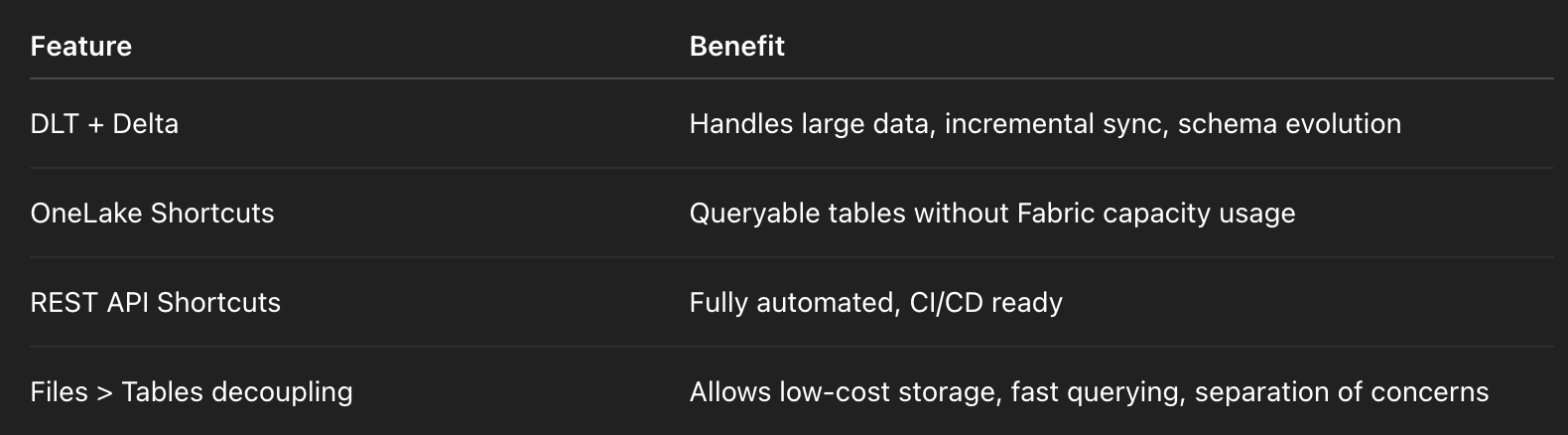
🧱 What This Pipeline Does
Ingests 3 tables (
Products,Customers,Orders) from SQL Server using DLT.Writes Delta format files to
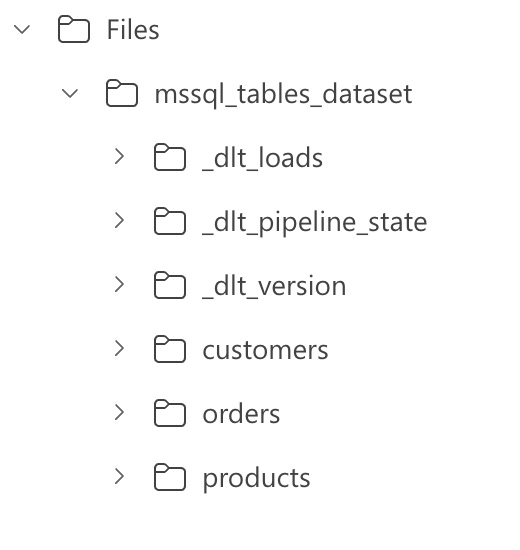
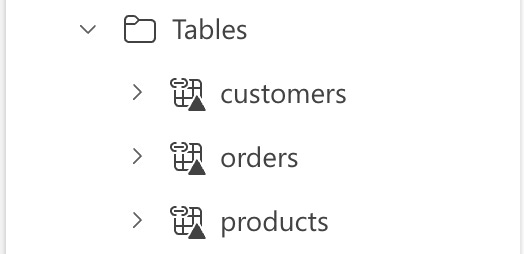
OneLake/Files/mssql_tables_dataset/...Automatically creates shortcuts via Fabric REST API at
OneLake/Tables/...Incremental loads based on
last_updatedcolumn.Avoids re-registering tables on every run.
📁 Folder Structure
🛠️ Core Pipeline Code
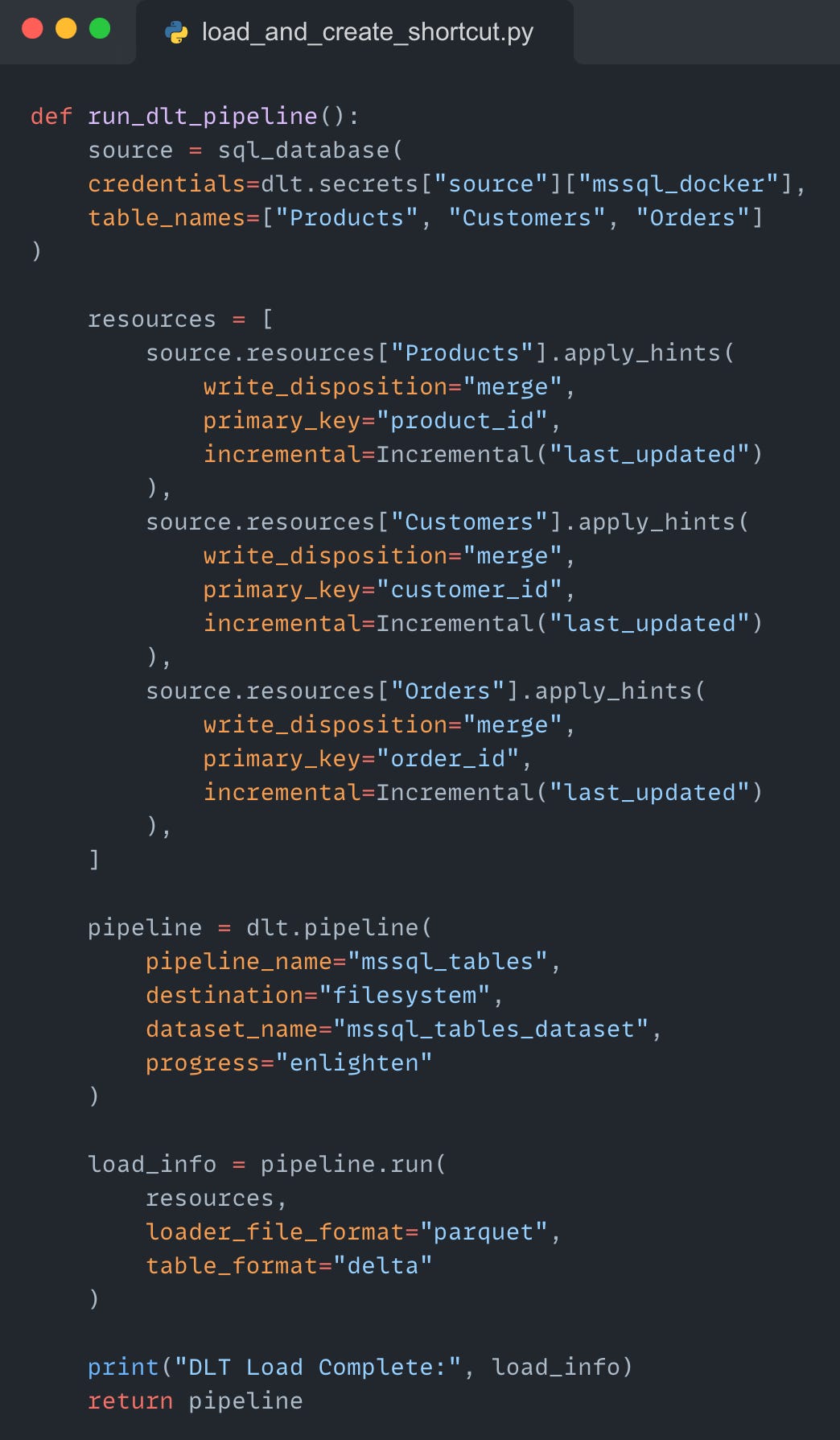
This handles incremental syncs using the last_updated column. The result is stored in Delta format under /Files.
🔗 Creating Shortcuts Automatically
After the Delta files are generated, we use the Microsoft Fabric REST API to create table shortcuts dynamically.
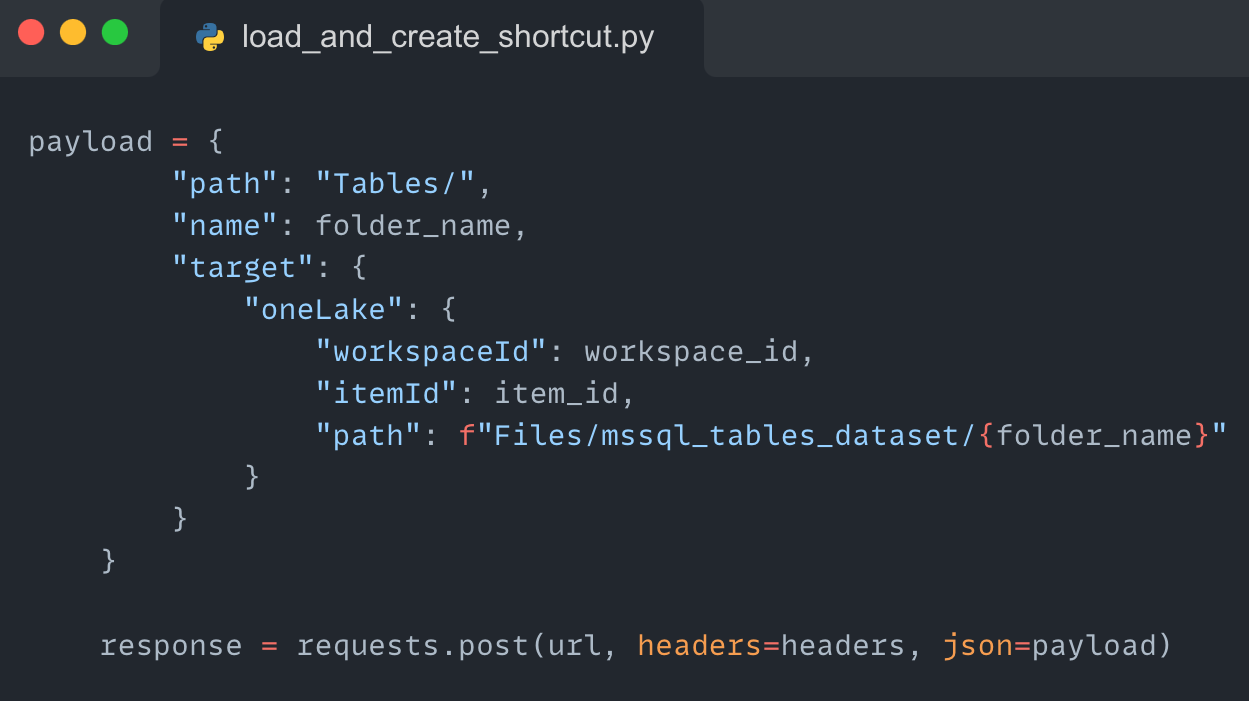
You only need to run this once per table — subsequent loads just update the Delta log.
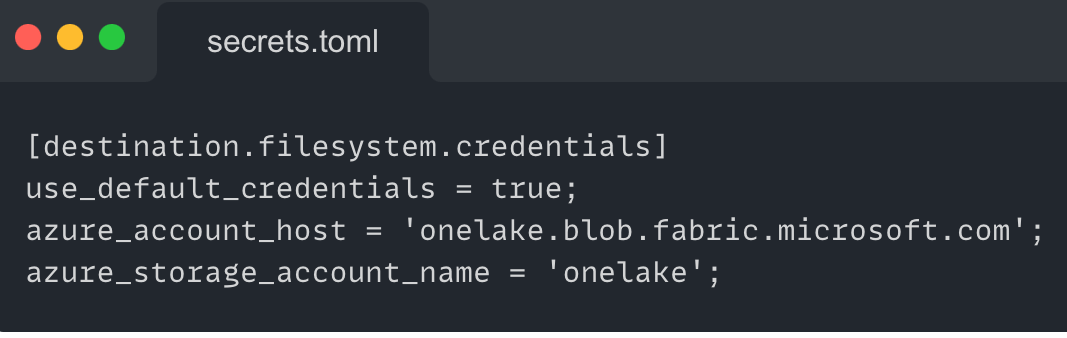
⚙️ Environment Configuration
OneLake supports the same APIs as Azure Data Lake Storage (ADLS) and Azure Blob Storage. This API parity enables users to read, write, and manage their data in OneLake with the tools they already use today.
Microsoft OneLake provides open access to all of your Fabric items through existing Azure Data Lake Storage (ADLS) Gen2 APIs and SDKs. You can access your data in OneLake through any API, SDK, or tool compatible with ADLS Gen2… OneLake is built on top of Azure Data Lake Storage (ADLS) Gen2 and can support any type of file
DLT’s filesystem destination can target OneLake like any other storage—writing Delta files directly.
🔄 Incremental Loading in Action
When you insert new rows or update the last_updated column in your SQL Server tables, all you need to do is rerun the pipeline script.
Behind the scenes:
DLT uses the
last_updatedcolumn (configured viaIncremental) to detect only new or changed rows.These changes are written as new Parquet files, and the Delta Lake transaction log (known as the
_delta_log) is updated to reflect the new state.Since Microsoft Fabric Shortcuts point directly to the
/Files/mssql_tables_dataset/{table}folders, they automatically reflect the latest data — without any need to refresh or reload.
💡 There’s no need to manually re-register tables, no data duplication, and no reprocessing of unchanged rows. The shortcut acts as a real-time lens into your latest data updates.
🚧 Caveats & Gotchas
Here are a few key considerations when implementing this approach:
Admin Consent Required (Power BI Permissions):
The Fabric REST API requires Power BI service-level permissions, such as:Tenant.Read.AllTenant.ReadWrite.All
These must be granted via admin consent in Entra ID.
One Table, One Folder:
Each Delta table must be stored in a dedicated folder within OneLake. Avoid merging multiple tables into a single folder to ensure proper shortcut creation and query ability.Stable Schemas are Critical:
Delta tables must remain schema-consistent over time. If your source schema changes, implement schema evolution strategies to prevent load failures or shortcut inconsistencies.🔚 Final Thoughts
This setup helped me:
Save cost: DLT writes Delta files directly to OneLake (storage cost only).
Simplify data ingestion from legacy SQL Server systems
Avoid manual table creation or refresh in Fabric
Automate shortcut management using API
Understand Shortcut creation is lightweight—no CUs consumed